The Makerspace by Keli Ingrande


My first major Makerspace I encountered while exploring a library for an assignment was at the Central Library in Downtown San Diego: a 3-D printing lab. I was awestruck and I could not believe our San Diego Library had a 3-D printing lab. I had only seen these printers on T.V. The library actually calls this makerspace an “Innovative Lab” so I did not automatically go “Oh, a Makerspace!” With that said, it was pretty interesting to read and learn more about Makerspaces.
San Diego Central Library Innovation Lab Photos by Keli Ingrande

What is a Makerspace?
Every article had their own definitions and or descriptions of Makerspaces. These are just a few that stood out to me:
1.     “A Makerspace is a physical place in a library where informal and collaborative learning happens with hands on creation using a combination of technology, industrial and fine arts that you would not normally find at home”(Bowler 59)
2.     These “Makerspaces "invite users to explore traditional and digital media, interaction with mentors and peers and engage in creative projects”(Koh and Abbas 114)
3.     “Makerspaces are informal sites for creative production in art, science and engineering where people of all ages blend digital and physical technologies to explore ideas learn technical skills and create new products” (Halverson et al. 5)


Have no fear when it comes to engaging in a Makerspace

I know from experience that learning and trying new things can be nerve wrecking and even though I love learning new technology and trying out new gadgets and machines, I was a bit intimidated by those 3-D printers. In encountering these technologies within Makerspaces, it can seem a bit scary at first because there is a possibility of being susceptible to failure, and working with new tools and/or technologies that you may not be familiar with, but in the end it can be very exciting and rewarding.(Moorefield-Lang 108)


Libraries and Makerspaces
Makerspaces, involve hands on creation using a combination of technology and arts, have become a popular faucet in libraries(Bowler 59)and have been offering patrons a more engaging way of learning throughout their use and is usually low cost or free of charge.
Libraries and their staff are asked to look to the newest technology and keep up with the latest trends, so who better to showcase a Makerspace than a library.(Moorefield-Lang 108).

School libraries and Academic libraries have also been embracing the Makerspace movement. Schools encourage students to creatively explore different resources while making connections between making and literacy by question asking, digging for answers and working through solutions. (Blakemore 67) A familiar type of hands on learning most parents, like myself are more familiar with is STEM (Science, Technology, Engineering and Math based) or STEAM(Art).  Academic libraries incorporate Makerspaces, elevating hands on learning at a collegiate level that provides a type of bridge from the academic world to the outside workplace(Julian and Parrott 13, 18) utilizing space and resources to address "emerging challenges and opportunities".(Julian and Parrott 18)

While there are many benefits of having Makerspaces in Libraries these are the ones that I stuck out to me:

v Enhances creativity, innovation, media navigation, visual literacy, and computational thinking skills(Bowler 59)
v Provides a safe and supportive environment to patrons by cultivating, connecting and exposing them to current or new interests(Koh and Abbas 114)
v Offering access to equipment and technologies that are cutting edge (Koh and Abbas 115)


These Makerspaces sound pretty amazing and could be an amazing experience.
 I will eventually get back to those 3-D Printers and try them out but if you ever encounter a Makerspace, I highly encourage you to put any hesitation or fears on the back burner and give them a try. 

Here are a few articles I felt would be of interest to those who want to read more on Makerspaces:


Works Cited
Blakemore, Megan. “Problem Scoping: Design Thinking & Close Reading Makerspaces in the School Library.” Knowledge Quest, vol. 46, no. 4, Mar. 2018, pp. 66–69. EBSCOhost, search.ebscohost.com/login.aspx?direct=true&db=lxh&AN=128199635&site=ehost-live&scope=site.
Bowler, Leanne. “Creativity through ‘Maker’ Experiences and Design Thinking in the Education of Librarians.” Knowledge Quest, vol. 42, no. 5, May 2014, pp. 58–61. EBSCOhost, search.ebscohost.com/login.aspx?direct=true&db=lxh&AN=95795522&site=ehost-live&scope=site.
Halverson, Rich, et al. “Participatory Culture as a Model for How New Media Technologies Can Change Public Schools. WCER Working Paper No. 2016-7.” Wisconsin Center for Education Research, Wisconsin Center for Education Research, 1 Oct. 2016. EBSCOhost, search.ebscohost.com/login.aspx?direct=true&db=eric&AN=ED580880&site=ehost-live&scope=site.
Julian, Kristi D., and Deborah J. Parrott. “Makerspaces in the Library: Science in a Student’s Hands.” Journal of Learning Spaces, vol. 6, no. 2, Jan. 2017, pp. 13–21. EBSCOhost, search.ebscohost.com/login.aspx?direct=true&db=eric&AN=EJ1152687&site=ehost-live&scope=site.
Koh, Kyungwon, and June Abbas. “Competencies for Information Professionals in Learning Labs and Makerspaces.” Journal of Education for Library and Information Science, vol. 56, no. 2, Jan. 2015, pp. 114–129. EBSCOhost, search.ebscohost.com/login.aspx?direct=true&db=eric&AN=EJ1073572&site=ehost-live&scope=site.
Moorefield-Lang, Heather. “Change in the Making: Makerspaces and the Ever-Changing Landscape of Libraries.” TechTrends: Linking Research and Practice to Improve Learning, vol. 59, no. 3, May 2015, pp. 107–112. EBSCOhost, search.ebscohost.com/login.aspx?direct=true&db=eric&AN=EJ1059140&site=ehost-live&scope=site.
National Science Federation. "Science of Innovation: 3-D Printing". Online video Clip .NBC Learn,         
      Youtube, 13 Dec. 2013, https://youtu.be/dzSNp_FCebs

The Demise of School Libraries: What Libraries are doing to stay away from Demise by Keli Ingrande


As a mother of three children, hearing the word demise and school libraries in one sentence is pretty frightening. I want what is best for my children and I am glad my children’s school does encourage use of their School Library. I wanted to focus on what School librarians and the AASL are trying to do to keep the demise away.  Below I posted a video that showcases the importance of School Libraries


Over the years, School Libraries have been through quite an ordeal with limited staff, budget cuts, and emerging digital challenges(Mantel 625) . It really does sound like demise but school libraries along with the AASL keep on fighting to stay current and relevant by embracing new technologies and resources.

Some ideas I saw in Librarians on the Loose was to “break the virtual wall” and start reaching out to the children in the form of web communication.  A majority of children are digitally connected and it really does sound like a great idea to get the children excited about the library. The Author mentions an idea of videos linked with QR codes that are inside the physical books that the kids can access by just scanning with their mobile device. (Lawrence 67) Keeping the kids excited and excelling in growth and learning helps the School library remain a vital part of the school community (Lawrence 70)

The American Association of School Librarians is promoting a Parent Advocate Toolkit to rally parents to get involved with their children’s school library and to keep promoting their School Library’s importance. They even provide examples of questions parents or others may ask. Along with a few other toolkits, I saw they  provide a Toolkit for School Library Media Programs to help Librarians boost their library's programs

The Month of April is School Library Month, with all of the terrible news regarding COVID-19 and the schools adjusting to distance learning they provided graphics still promoting the importance of School Libraries.


In statewide studies, they show that strong libraries equal “stronger academic learning and lifelong learning” as per the Infographic Resources on the AAL site.

It’s important that Libraries, Parents and Librarians keep promoting the importance of School Libraries to discourage any more talk of their demise.

Works Cited
Capstone Publishers. “School Libraries Matter: The Changing Role of the School Librarian”. Online video Clip. Youtube, 22 Oct. 2014, https://youtu.be/6eilZJp3_h8
Lawrence, Ellen. “Librarians on the Loose: Breaking out of the Library to Create a Culture of Literacy.” Knowledge Quest, vol. 42, no. 4, Jan. 2014, pp. 64–70. EBSCOhost, search.ebscohost.com/login.aspx?direct=true&db=eric&AN=EJ1041599&site=ehost-live&scope=site.
Mantel, Barbara. "Future of Libraries." CQ Researcher, 29 July 2011, pp. 625-52, library.cqpress.com/cqresearcher/cqresrre2011072900.
"Parent Advocate Toolkit", American Library Association, August 14, 2009. http://www.ala.org/aasl/advocacy/tools/toolkits/parent-advocate (Accessed April 30, 2020) Document ID: a368a521-17d6-4484-8988-7d26235b7fee
“Resources”, American Library Association, April 2, 2013.
http://www.ala.org/aasl/advocacy/resources (Accessed April 30, 2020) Document ID: d3f5acf0-28ed-7144-612e-4fae58e97ccd


Cloud Computing in Libraries by Keli Ingrande


Even after reading several articles on Cloud Computing the information still tends to cloud in my head. We all use some form of Cloud computing. Even right now reading this blog in Blogger you are utilizing cloud computing.  I utilize iCloud by Apple, Google Apps (This Blog is utilizing Blogger that is part of Google apps), and Microsoft Office online. Reading about cloud computing is a lot to take in. I have tried to break it down the best I could and posted some useful information from the articles that I read in hopes that it can make Cloud Computing look a little less cloudy and how it is used in Libraries.


Definitions of Cloud Computing
 I came across several but these were the ones that made the most sense:

v “Cloud Computing involves a diffuse, distributed computing infrastructure provided through the internet in an abstract way, where neither the programmers who create the service nor the end users of that service need to be involved with the specific hardware components”(Breeding 24)
v “Cloud computing is the availability of IT-type needs offered as services, often through a third- party vendor”(Buck 6)
v This is a table by Matt Goldner that breaks down the structures with examples(Goldner 5) :


There are 3 basic structures in Cloud Computing: IaaS, PaaS, and SaaS

IaaS
Infrastructure as a Service provides an environment to deploy the managed virtual machine.(Feng et al. e0216067)  If you look at the chart above, it is basically just renting a space and time,  to store your data that you can access from anywhere
PaaS
Platform as a Service provides a platform for developing other applications on top of it.(Feng et al. e0216067)  Examples of this service: Google and Facebook
SaaS
While I like to think of this term as what my daughter throws my way, this abbreviated term means “Software as a Service”. This is a more widely used Cloud Computing structure. Instead of loading the software onto our computers from a floppy or CD then hoping for the best, businesses can start utilizing or “renting” the software over the web without any downloading, inconvenient discs, instructions, licensing, and updating by the end user(Buck 8) . The upfront purchasing costs are reduced by using their subscription pay as you go method and when it comes to maintenance, updates and support issues, it’s all handled automatically as part of the service(Buck 3) .

Are there any Privacy and Security Issues with Cloud Computing?
That is a good question and one I think of before putting anything on the cloud. Putting any data on the cloud always has its risks but as Buck states in her article “it is important to read the fine print when looking into cloud computing “ and to “understand the privacy and security policies of the vendor you use as well as the backup plans in case of service disruptions”(Buck 9,10)  Another good idea that is mentioned in “How Sound is the Cloud” encrypt your data if you are only using it for storage before saving on the cloud especially if its sensitive material(Goldsborough 68)

Libraries and Cloud Computing
So, now that we hopefully cleared the clouds on the basics of Cloud Computing, let’s talk about Cloud Computing in Libraries.
Libraries started to go down the path towards cloud computing with the first example being the OCLC where data has been aggregated into common pools to share.(Goldner 9)

Cloud Computing is beneficial to libraries by freeing up a lot of their time that it took the libraries to maintain databases, equipment buying, software installing and a lot of software updates(Goldner 13) .
SaaS cloud computing technologies have been a popular form of cloud computing for librarians, especially to the libraries that have limited resources. Google Docs and Dropbox are good examples of these technologies(Tritt and Davis Kendrick 2) .
Cloud Computing benefits patrons as well, especially in Public Libraries where large files such as digital collections could stress a server. By utilizing cloud services, it could free up bandwidth speeding up retrieval of materials for the patron(Buck 10) .


I hope this post helps with clears the clouds on the basics of Cloud Computing and how it is used in our Libraries.
I have included a few links to some interesting articles on Cloud Computing in Libraries


Works Cited
Breeding, Marshall. “The Advance of Computing from the Ground to the Cloud.” Computers in Libraries, vol. 29, no. 10, Jan. 2009, pp. 22–25. EBSCOhost, search.ebscohost.com/login.aspx?direct=true&db=eric&AN=EJ861520&site=ehost-live&scope=site.

Buck, Stephanie. “Libraries in the Cloud: Making a Case for Google and Amazon.” Computers in Libraries, vol. 29, no. 8, Sept. 2009, pp. 6–10. EBSCOhost, search.ebscohost.com/login.aspx?direct=true&db=eric&AN=EJ858674&site=ehost-live&scope=site.

Feng, Danqing, et al. "ERP: An elastic resource provisioning approach for cloud applications." PLoS ONE, vol. 14, no. 4, 2019, p. e0216067. Gale In Context: Opposing Viewpoints, https://link-gale-com.ezproxy.palomar.edu/apps/doc/A583658110/OVIC?u=cclc_palomar&sid=OVIC&xid=9a94d977. Accessed 30 Apr. 2020.

Goldner, Matthew R. “Winds of Change: Libraries and Cloud Computing.” Bibliothek Forschung Und Praxis, vol. 34, no. 3, Dec. 2010, pp. 270–275. EBSCOhost, doi:10.1515/bfup.2010.042.

Goldsborough, Reid. “How Sound Is the Cloud?” Teacher Librarian, vol. 40, no. 3, Feb. 2013, p. 68. EBSCOhost, search.ebscohost.com/login.aspx?direct=true&db=lxh&AN=85445405&site=ehost-live&scope=site.

Tritt, Deborah, and Kaetrena Davis Kendrick. “Impact of Cloud Computing on Librarians at Small and Rural Academic Libraries.” Southeastern Librarian, vol. 62, no. 3, Fall 2014, pp. 2–11. EBSCOhost, search.ebscohost.com/login.aspx?direct=true&db=lxh&AN=99265537&site=ehost-live&scope=site.


Bring your Own Device by Keli Ingrande


From the time I was young, I always remember having some form of portable device. From my walkman, tape recorder, my disc-man, my pager, my Nokia phone, my series of iPods, smartphones and iPad. At some point I even had a Dell Laptop and I am pretty sure I will be getting a MacBook soon so I can work outside and away from my children. 
I fully embrace portable technology and love these wonderful devices like they a part of my family. I know, a bit over exaggerated, but I love the freedom and independence that these devices offer and make everyday tasks a little bit easier. 
I am happy that libraries have chosen to start embracing the BYOD movement whether it be for patrons and or Library staff. I have chosen to list some positive outlooks/examples on the BYOD movement.

Coming from a Patron Stand Point of View
While at the library, one option I can access from my device is the Library’s App and accessing their catalog to find material rather than take up a computer space when someone else needs it or having to wait on a computer. It is a faster option for me when I am in a hurry to get what I need. As Krishnan mentions in her article sometimes a person requires information quickly and having the device within easy reach allows that to happen.(Krishnan 8)

Another portable technology option is my library card barcode on my iPhone. This is a recently added feature for the San Diego Public Library and I love it.  I can’t even count the number of times where I have had to hunt down my library card in my purse or on my keychains, it drove me crazy. Mobile devices are more personal than desktop pc’s and having a mobile friendly “Library in your pocket” is a great way for libraries to “reach out to patrons in a more personal way”(Johnson and Gutmann 31). 

Another fabulous option on the San Diego Library’s App is being able to check your account to see if you have any items checked out or past due. Half the time I forget what I checked out and even more so what and how many items my kids have checked out. Having these options available is showing how the library is embracing the BYOD movement by developing services that can be used on mobile devices (Krishnan 8)
Cell Phone Photos of SD Public Library App by Keli Ingrande


From a Library Point of View
Library staff help patrons out a lot when technology is concerned anything from downloading apps to navigating through the library’s website or mobile site(Lyttle and Walsh 2) , it definitely helps if the library staff member to have their own device so they can show the patron how to operate or do a certain function on their own devices rather than the patrons. I, in particular do not like someone else handling my gadgets, so if a library staff member could help me by demonstrating on their phone instead of mine let the happy dance commence!

Librarians can learn new technology from experimentation such as navigating new apps, sites, and new devices .  Having staff members utilize BYOD may save the libraries time and money when it comes time to evaluating what devices to bring into the library by observing staff members use their own devices(Lyttle and Walsh 2) .

Portable Devices, such as Library Staffs personal smart phones could help reduce delay when helping out a patron in case of an emergency, a server going down, or power outage by being able to pull up information, material or even calling emergency responders if required.(Lyttle and Walsh 2)  

Even though I do not work at a library, I have had a computers go down and I was able to help out one of our golf patrons navigate how to use the program because I was able to pull up the program app on my phone.

I do not think I will ever stop loving my portable devices and I hope that Libraries continue to embrace the BYOD movement.

I have attached Links below to the some other articles  BYOD for you to read:


Works Cited
Johnson, Bob, and Ted Gutmann. “IPhone, Android, or Kindle: The Emma S. Clark Memorial Library Has an App for That and So Can You.” Computers in Libraries, vol. 33, no. 1, Jan. 2013, pp. 6–8. EBSCOhost, search.ebscohost.com/login.aspx?direct=true&db=eric&AN=EJ1008708&site=ehost-live&scope=site.
Krishnan, Yvonne. “Libraries and the Mobile Revolution.” Computers in Libraries, vol. 31, no. 3, Apr. 2011, pp. 6–9. EBSCOhost, search.ebscohost.com/login.aspx?direct=true&db=eric&AN=EJ926255&site=ehost-live&scope=site.
Lyttle, Melanie A., and Shawn D. Walsh. "Is Your Library Ready for BYOD?" Public Libraries Online., 2013. Web. Apr 29, 2020.              

Makerspaces


Makerspaces


Ever thought that a new idea maybe impossible, or that an impossible idea maybe achievable? Library personnel are rolling up their sleeves and making new ideas happen. Makerspaces are fast growing in Libraries and enabling students to have hands-on experiences making, creating and developing new and creative ideas.  Makerspaces are becoming commonplace and are the new expected experiences in today's libraries. In order to describe a Makerspace, one must envision an area in the library that may not follow the normal neat and tidy route that libraries are known for.  
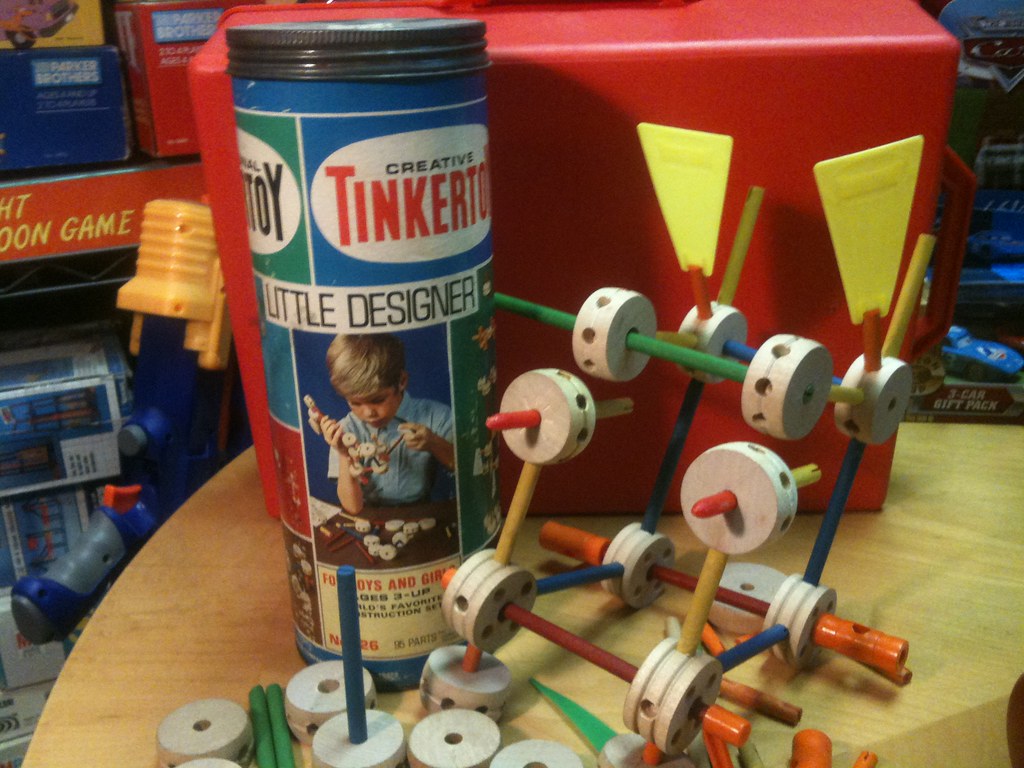
Try to picture creative art area-meets books and technology and there you have it. Makerspaces are designated areas that allow and encourage hands-on touching, creating and development. Imagine Tinker Toys meets Art and you can get a general concept.

In the Article A Major Making Undertaking: A New Librarian Transforms A Middle School Library into a Makerspace Aligned to High School Career Endorsements, author Sheila Bakers interviews co-author Bonnie Alexander. Together they describe the step by step process of creating a Makerspace in a new Middle School Library. The creativity and enthusiasm felt by first year Librarian Ms. Alexander as she starts her new position is instrumental in this project. Ms. Alexander is a former English Teacher currently working towards a Master's Degree in School Library and Information Science, when this inspiration began. With the backing and support of her principal (also in the first year of a new position), Ms. Alexander was able to put her concepts and ideas into action. She starts off by researching and incorporating newly implemented high school graduation requirements. Armed with this information, Ms. Alexander visits the nearby high school and solicited donations from the various departments in support of her new program. The focus of the Makerspace program would be an introduction for the middle school students to concepts that they would use later to fulfill a high school graduation requirement. This would be sparking an interest while creating an interest to be used towards a later goal. 

This program was successful due to many factors that aligned up at the same time.
 New idea + New Librarian + New Principal + New School + New Graduation Requirement = Successful  Middle School Makerspace Program.  
It doesn't always line up that well (or way), but for the Perfect Storm in that Texas Middle School Library..it did. 

Works Cited:

Baker, Sheila F., and Bonnie Alexander. “A Major Making Undertaking: A New Librarian 
Transforms A Middle School Library into a Makerspace Aligned to High School
Career Endorsements.” Knowledge Quest, vol. 46, no. 5, Jan. 2018, pp. 64-69.
EBSCOhost,search.ebscohost.com/login.aspx?direct=true&db=eric&AN=EJ118247
&site=ehost-live&scope=site. (Accessed 28, April 2020).

Makerspaces by Barney Mont

BYOD (Bring Your Own Device)


https://login.eproxy.palomar.edu/login?url=https://search.ebscohost.com/login.aspx?direct=true&db+a9h&AN=99173566&site=ehost-live&scop=site. 

"You are at the dining room table, put your phone away...", we have all heard that particular phrase and probably most of us have said it a time or two. I admit that I have. Today, things have changed. Stay at Home Orders and Distance Learning have required us to change our outlook. Change our outlook on students, teaching, curriculum and personal devices. Now we are asking students to pull out their own devices and learn. To learn a half of a semester(s) worth of classwork on your phone, tablet, Chromebook, personal computer etc...In the article Gadgets Go To School: The Benefits and Risks of BYOD (Bring Your Own Device), author Patricia Bruder explains the benefits of students having their own devices. Bruder presents some basic rules and offers a general checklist for getting started and creating a curriculum related to BYOD. 
According to Bruder, "BYOD (bring your own device) or BYOT (bring your own technology) gives students the option of borrowing electronic devices from the school or using their own equipment." This goes to the idea that students who are comfortable and familiar with using technology, are more engaged and more apt to participate in a classroom environment that encourages the use of technology. Can students get and/or be distracted, yes. There will be the students who will challenge the learning process by visiting sites that are off limits such as "social media networks" etc...but who hasn't looked a text message and/or other email, while working or in a meeting. Even an important staff meeting. 
This year, possibly the most challenging year of a students academic life, we have asked them to step up, change their entire way of learning and hopefully get something out of the remainder of the academic school year. Not to lose any steps in their learning process but hopefully to learn, even learn in a different manner and come out of this school year with some additional technology techniques that they may share...When we resume our normal school life.         
Works Cited:
Bruder, Patricia. "GADGETS GO TO SCHOOL: The Benefits and Risks of BYOD (Bring
Your Own Device)." Education Digest, vol. 80, no. 3, Nov. 2014, pp. 15-18.
EBSCOhost,login.ezproxy.palomar.edu/login?
url=https://search.ebscohost.com/login.aspx?
direct=true&db=a9h&AN=99173566&site=ehost-live&scope=site.

  BYOD (Bring Your Own Device) by BarneyMont

The Demise of School Libraries


The Demise of the School Library...(music starts-dun dun dun...) sounds ominous (adjective)-giving the impression that something bad is going to happen-SCARY...at least to me and to all my fellow colleagues in the School Library Business. But in reality it not really scary, it is changing, evolving into a better School Library, a gathering place, a bookstore/cafe type area where students may comfortably work on homework, use computers, study and READ. A true community center. This begins with changes in the Library environment and it involves more than rearranging a few chairs and tables. In the article, The School Library Space is Changing by Laura Wernick, libraries "...are expanding their role as community wide help centers while continuing to be a place of reflection, sharing and learning." 

(https://login.ezproxy.palomar.edu/login?url=https://search.ebscohost.com/loginaspx? direct=true&db=eric&AN=EJ935431&site=ehost-live&scope=site).
According to Wernick, "In academic environments, libraries are changing as well.This shift is a direct result of two academic realities: the slow demise of the traditionally published book as the primary source of information; and the increasing demand for more collaborative, social environments for academic study and production." Schools are using more "Learning Commons" main library areas that allow instruction by teachers and additionally offer "...communal study spaces that support collaborative learning and easy access.." This shift towards making the school library as more of a community center allows additional usage which may include student presentations, student club meetings and also allows the outside community to rent/borrow the library space for PTA meetings, Church Services etc... truly allowing the library to be a welcoming area for all. Additionally, Library's could adapt with reading rooms for individual and/or small group tutoring purposes. Wernick states "As library design evolves, teachers no longer will be constrained by the four walls of their classrooms" which will further strengthen and support school educational practices for today's youth.

Works Cited:

Wernick, Laura. "The School Library Space is Changing." American School & University,
vol.83, no.9, May 2011, pp. 24-28. EBSCOhost, search.ebscohost.com/login.aspx?direct
=true&db=eric&AN=EJ935431&site=ehost-live&scope=site. (Accessed 28 April 2020).

The Demise of School Libraries by BarneyMont